
PHP2Shell: two critical PHP flaws, no patch for older versions
PHP2Shell: on 21 October 2026 PHP fixes two critical RCE flaws rated CVSS 9.2, but only for branches 8.2 to 8.5. What admins should do now.
- by blacklens.io Team
- Published
- 5 min read
PHP will publish an out-of-band security release at 14:00 UTC (16:00 CEST) on 21 October 2026 for two critical flaws known as PHP2Shell, which according to the security firm watchTowr allow remote code execution. The fix covers only the four supported branches, 8.2 to 8.5. According to a count by the security firm Mallory, more than half of the PHP servers that show their version on the internet run an older one.
What is PHP2Shell?
PHP2Shell is the unofficial name for two critical vulnerabilities in the PHP scripting language, tracked as CVE-2026-109618 and CVE-2026-109619. According to watchTowr, both allow remote code execution: running an attacker's own commands on the server over the network. The PHP security team rates both CVSS 9.2 under version 4.0. According to W3Techs, PHP runs 69 per cent of websites whose server-side language is known, from WordPress to Shopware.
The flaws leaked first. On 20 October, a post on the Hacker News forum announced two PHP flaws rated CVSS 10.0, affecting every version from PHP 5 onwards; the poster admitted having no evidence beyond trust in the source. watchTowr confirmed the flaws were real and under embargo until Thursday, 22 October, and said it believed it had reproduced CVE-2026-109618. At 19:33 UTC PHP followed with an advance notice and moved the release forward by a day. The identifiers and the version range come from the leak; PHP's notice names neither.
What is known about PHP2Shell, and what is not
Only what PHP itself announced is confirmed. As of 21 October 2026, before the release:
- Confirmed by PHP: two critical flaws rated CVSS 9.2 (v4.0), release on 21 October at 14:00 UTC, or earlier if details become public or attacks appear.
- Unconfirmed: affected versions and whether an attack needs a particular setup such as PHP-FPM or CGI or a login. Analysis by several security researchers points to the session upload progress feature; PHP itself does not name the component.
- Exploitation: none known. Huntress had seen no attacks as of 20 October and knows of no public exploit code; the flaws are not in the CISA KEV catalogue.
- Mitigation before the patch: PHP names none officially. As a stopgap, security researchers recommend disabling session upload progress (see the next section); the measure follows from analysis of the leaked flaw and may close only one of the two flaws.
After the release, things will move fast: the corrected source code becomes public, and comparing it with the previous version shows where the flaw was. When CVE-2024-4577, a PHP flaw in CGI mode on Windows, became public in June 2024, Akamai saw exploit attempts against its honeypots within 24 hours.
Immediate mitigation before the patch: turn off session upload progress
If you cannot patch at once or are stuck on an end-of-life version, you can disable the feature that is reportedly affected. Several security researchers, among them Flatt Security and J4ck3LSyN, trace the flaws to PHP's session upload progress. The feature parses a field named PHP_SESSION_UPLOAD_PROGRESS in multipart/form-data uploads and is enabled by default. The sender of the request sets this field, not the application, so the code runs even if a site never built a progress bar. CERT-EU classes the flaws as possible unauthenticated remote code execution.
Turn it off in php.ini or the pool configuration, then restart PHP-FPM or Apache:
session.upload_progress.enabled = 0
Where you set it matters:
- You cannot change it with
ini_set()in PHP code. It belongs inphp.ini, for CGI/FastCGI in.user.ini(cached for up to five minutes,user_ini.cache_ttl), or under the Apache module viaphp_flag session.upload_progress.enabled offin.htaccess. - Only progress tracking stops; uploads themselves keep working. The change has no effect in most applications.
- Confirm the active setting through a
phpinfo()page, then delete that page again. - Where
php.iniis out of reach, a web application firewall can serve as a second layer and alert on or blockmultipart/form-datarequests carrying thePHP_SESSION_UPLOAD_PROGRESSfield. Test in detection mode first: applications with a genuine progress bar send this field legitimately.
The stopgap does not replace the patch. Flatt Security calls it probably but not certainly effective; J4ck3LSyN suspects it closes only one of the two flaws and that the second sits in the multipart parser. CERT-EU does not mention the setting and advises isolating internet-facing applications that cannot be patched at once until the fix lands.
Why older PHP versions get no patch
PHP fixes only its supported branches, currently 8.2 to 8.5. PHP 8.1 and older are end of life; if the flaws reach back that far, there is no vendor fix.
| Branch | PHP status | Fixes until |
|---|---|---|
| 8.5 | active support | end of 2029 |
| 8.4 | active support | end of 2028 |
| 8.3 | security fixes only | end of 2027 |
| 8.2 | security fixes only | end of 2026 |
| 8.1 and older | end of life | no fix |
On 20 October, Mallory counted publicly visible HTTP banners: more than 880,000 internet-facing hosts reported PHP 8.1 or older, 59 per cent of the roughly 1.5 million hosts that showed a version. A further 740,000 or so showed PHP without a version. In Germany, Austria and Switzerland, Mallory puts the share without a fix at 41, 53 and 64 per cent respectively.
The figures describe banners, not confirmed vulnerable systems. Distributions such as Debian, Ubuntu and Red Hat sometimes backport fixes to older packages. Branch 8.2 is on borrowed time too: its security fixes end with 2026, so anyone patching an 8.2 server today should plan the upgrade now.
What helps – and why visibility is decisive
Preparation largely follows the rapid-response post by Huntress and the CERT-EU advisory:
- Build an inventory: record every PHP installation, including inside appliances, Windows software and control panels such as cPanel or Plesk. If someone else runs your web server, ask the hosting provider when it will update.
- Update from 14:00 UTC: internet-facing systems first; check distribution and hosting provider for backported packages.
- Protect end-of-life systems: move to a supported branch, take the system offline, or put it behind a VPN or web application firewall. CERT-EU advises isolating applications that cannot be patched at once from public networks.
- Watch processes: alert when
php-fpm,php-cgi,httpdorapache2starts a shell, an interpreter or tools such ascurl,wgetorcertutil.exe. - Isolate on suspicion: disconnect the server, preserve web server and PHP logs, and look for web shells, new files in the web root, cron jobs, scheduled tasks and accounts.
On patch day, the hard question is rarely how to update but where PHP runs at all. blacklens.io uses Attack Surface Management to track continuously which domains, services and web applications are reachable from outside and which technologies run on them; the Sentry Agent covers internal systems. Once the CVE records carry product data, the Threat Center matches them against this inventory in real time and shows whether a match rests on the exact version or only on the product, as when a server hides its version. Where no verification template exists yet, it flags the match for manual review. blacklens.io does not see what a PHP process starts on the server; that is a job for monitoring on the host.
Frequently asked questions
- PHP2Shell is the unofficial name for two critical vulnerabilities in PHP, CVE-2026-109618 and CVE-2026-109619, which according to the security firm watchTowr allow remote code execution. The PHP security team rates both CVSS 9.2 under version 4.0 and announced an out-of-band security release for 21 October 2026 at 14:00 UTC. The flaws became public through a leak on 20 October; PHP will name affected versions and technical details only with the release.
More articles
REA: What AI reverse engineering finds in your applications
With REA, AI agents take apart apps, binaries and firmware without source code. Which keys, interfaces and flaws that exposes, and what helps.
- 4 min read

Citrix NetScaler: two zero-days, and patching alone is not enough
Two zero-days in Citrix NetScaler ADC and Gateway are under active exploitation: which builds are affected and what to do before and after updating.
- 4 min read
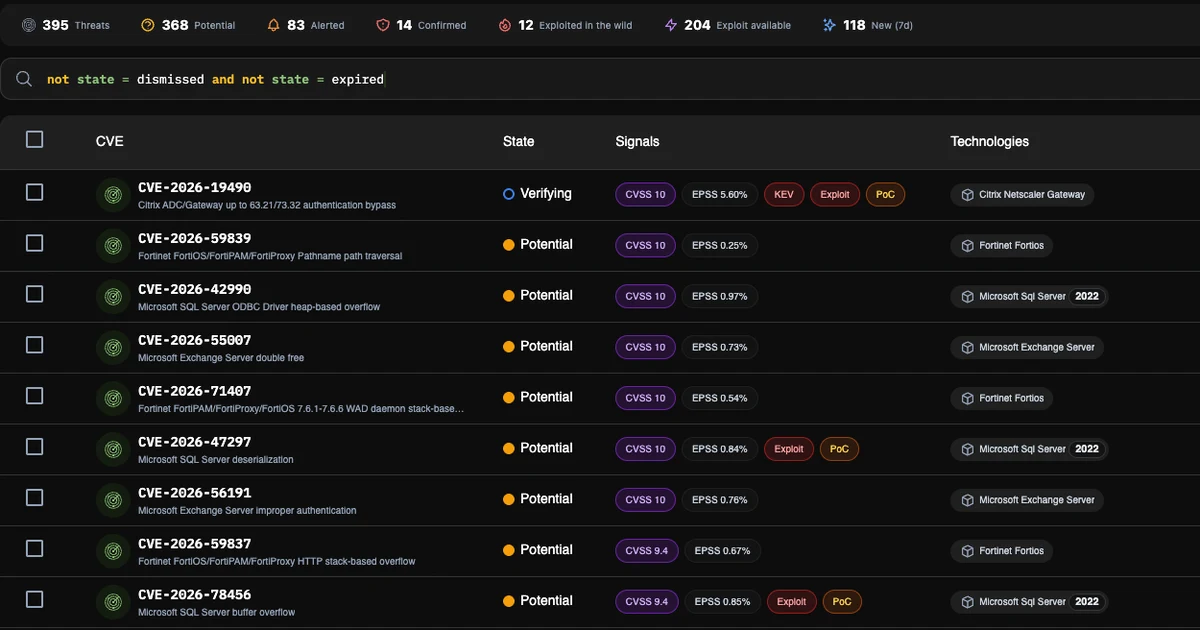
Threat Center: From CVE alarm to confirmed exposure
The blacklens.io Threat Center is your early warning system for new vulnerabilities: it shows which CVEs affect your systems and confirms it by scan.
- 3 min read
See your attack surface within 24 hours.
We set up your workspace and walk you through the first findings.
- 14 days free, all features
- No credit card required
- We walk you through your first findings