
Attack path analysis and a clear view of your attack surface
blacklens.io now uses attack path analysis to show how accounts reach Tier-0, what is exposed inside and out, and which alerts your team needs.
- by blacklens.io Team
- Published
- 5 min read
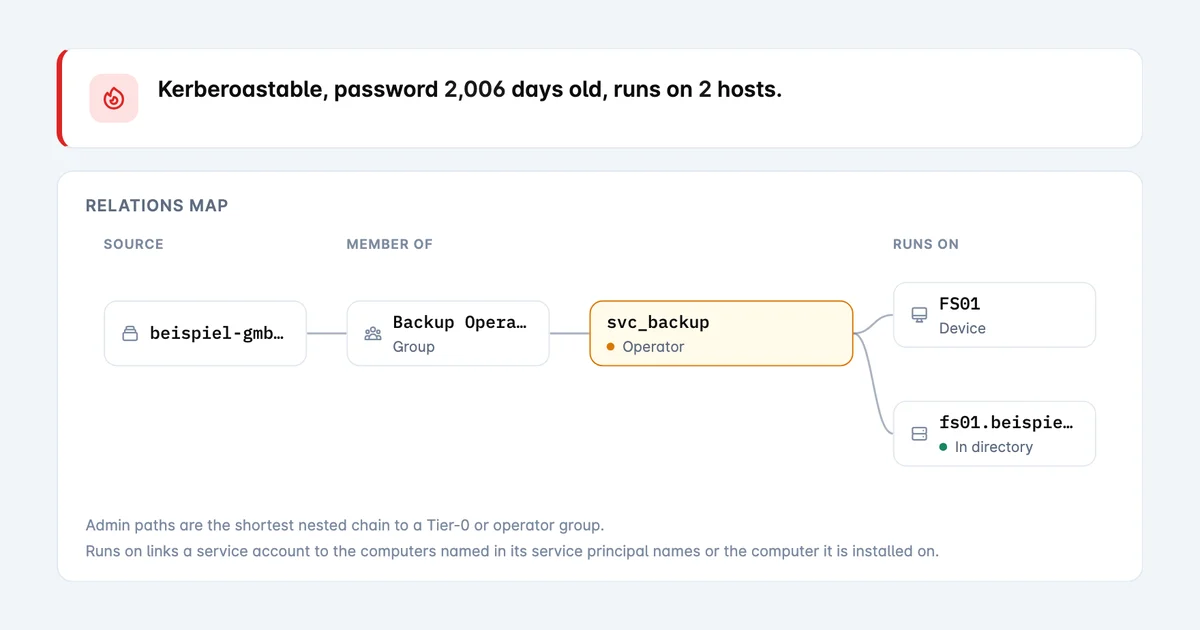
Attackers rarely look for the one open door. They look for a path: from a service account with an old password, through a nested group, to domain admin. blacklens.io now makes these paths visible, together with everything that belongs to your attack surface inside and out. New notification policies let through only the alerts your team will act on.
Attack path analysis: how accounts reach Tier-0
Tier-0 is the set of accounts, groups and systems that control a domain or tenant. blacklens.io decides whether an account belongs to it from attack paths, not group names. Attack path analysis follows these routes:
- Nested groups: the shortest chain of group memberships to a Tier-0 or operator group, shown under Admin paths.
- Control rights: ACL rights over Tier-0 objects such as
ForceChangePassword,WriteDaclorGenericAll, plus DCSync rights. - SID history: accounts that kept the rights of a Tier-0 SID from an old domain after a migration.
- Cloud rights: Entra directory roles and tenant-wide Microsoft Graph permissions of apps.
Each identity's Relations map traces the path. In the header image, the service account svc_backup is open to Kerberoasting: it has a service principal name, its password is more than five years old, and any domain user can request a ticket and crack it offline. The account is a member of Backup Operators and runs on the host FS01. One cracked password leads to operator rights, one step from Tier-0.
When a new path appears, blacklens.io raises the Privileged access granted alert. The first scan sets the baseline and raises nothing.
Internal attack surface: hosts, identities and cloud in one view
Attack Surface → Internal brings hosts, identities and cloud resources together, using the Sentry Agent (on-prem hosts and Active Directory), Entra ID, AWS, Azure, Google Cloud, Hetzner and Cloudflare. Correlation links an AD account to its Entra ID twin (mail or UPN), a scanned host to its computer object or Intune device, and a cloud resource to the external asset pointing to it.
Privileged access at the top shows how many privileged identities have a registered MFA method. If a source reports no MFA status, the account counts as unknown, never as safe.
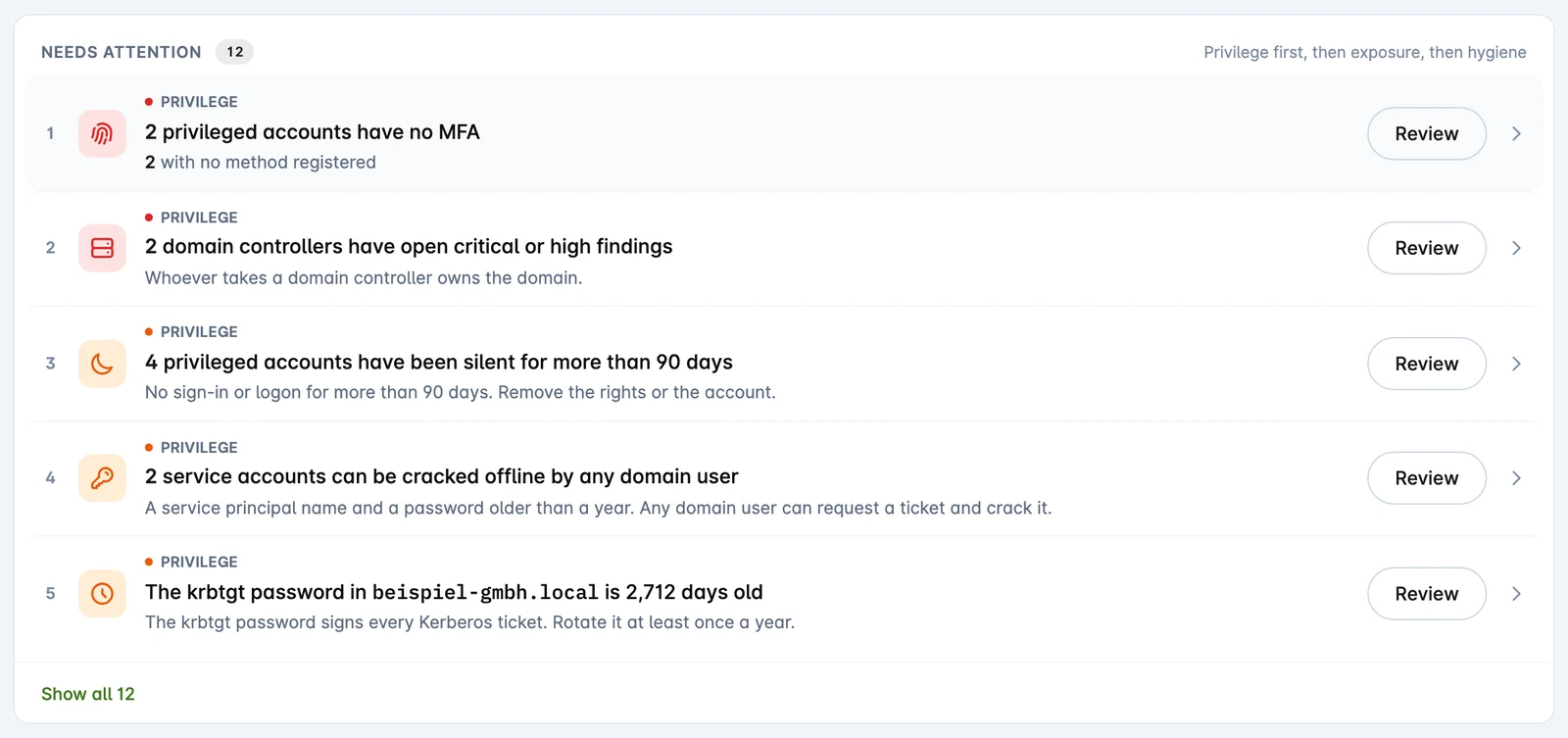
Needs attention follows the rule "privilege first, then exposure, then hygiene". Typical entries:
- privileged accounts without MFA, and guest accounts holding a directory role
- domain controllers with open critical or high findings
- service accounts with an SPN and a password older than a year
- a krbtgt password older than 180 days
- privileged accounts with no sign-in for 90 days
- internet-facing cloud resources with open findings
Two more new alerts report changes between scans: Privileged identity lost MFA and Cloud resource exposed, when a previously internal resource becomes reachable from the internet. That brings blacklens.io to 14 alert types.
External attack surface: what is reachable from outside
Attack Surface → External → Overview shows at a glance what is reachable from outside: open services by category such as web, remote access, database or file transfer, where your hostnames are hosted, which scope entry found each asset, and what is new in the last seven days. Servers carrying several high-risk hostnames are called out, because one fix there clears them all.
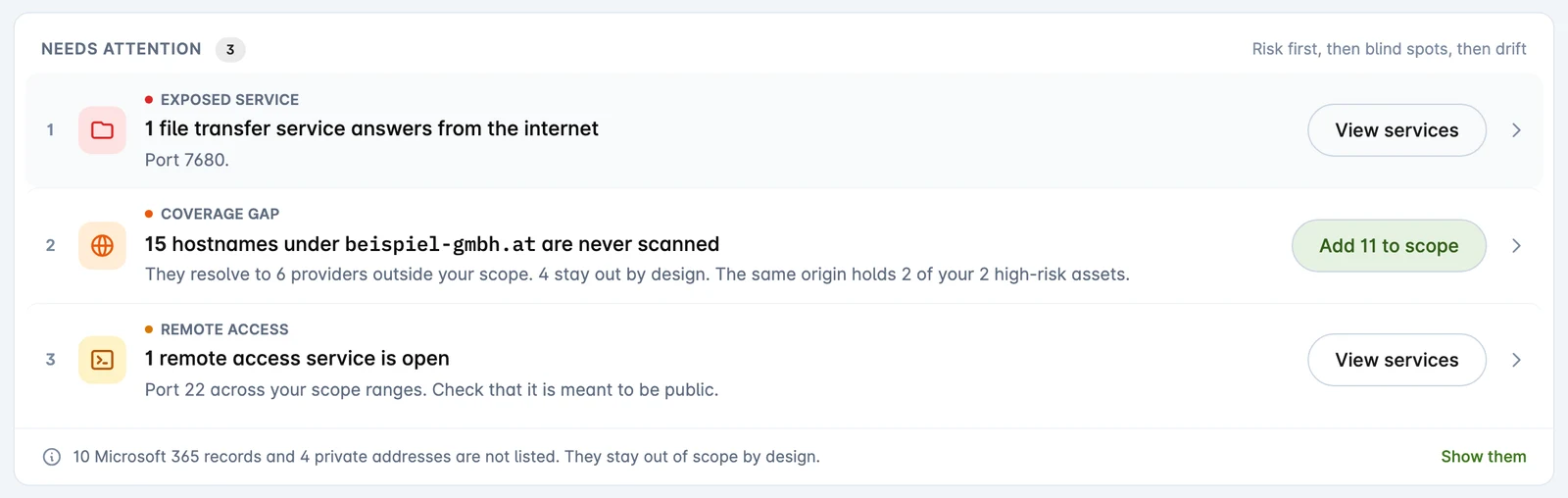
Here too, Needs attention ranks by urgency: risks first, such as databases, file transfer or remote access answering from the internet, then blind spots, then drift. Each asset's Lineage shows where it comes from and how it relates to your scope.
Scan coverage shows which share of the discovered hostnames is actively tested. When hostnames sit with an external hosting provider, blacklens.io proposes the matching scope entry. Once a tenant admin approves it, they are part of the next scan.
Notification policies: only the alerts that matter
Under Insights → Alerts → Notification settings, policies check fields of the alert and its findings on top of alert type and severity: asset tags and names, CVE, CVSS, EPSS, KEV listing, available exploit or PoC, port and service, and for dark web findings whether the account is privileged. A policy takes up to 25 conditions, joined by "all" or "any", with groups and regular expressions.
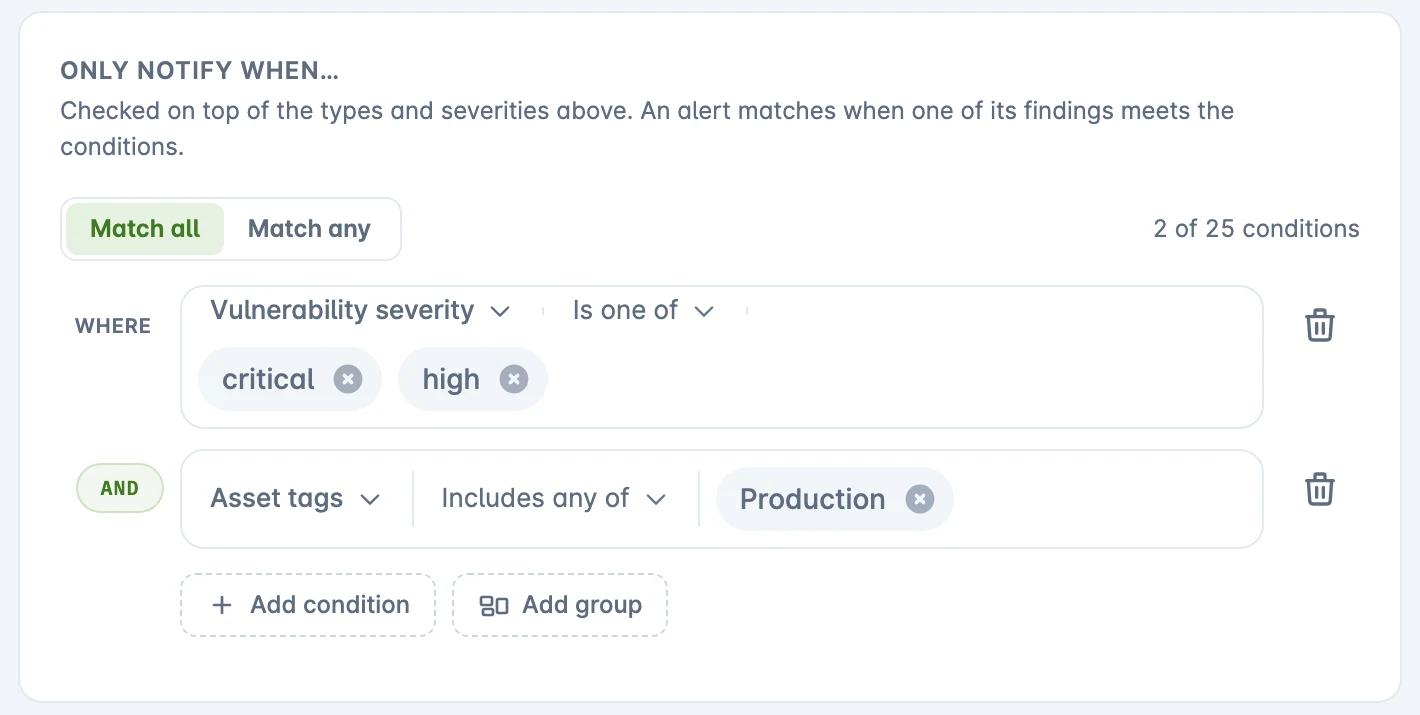
Every policy has one of three effects:
- Notify sends matching alerts to the chosen recipients and integrations.
- Mute silences matching alerts on chosen or all channels, even when another policy would send them, for example for test assets.
- Stop here skips all policies below for matching alerts. The order of the list matters.
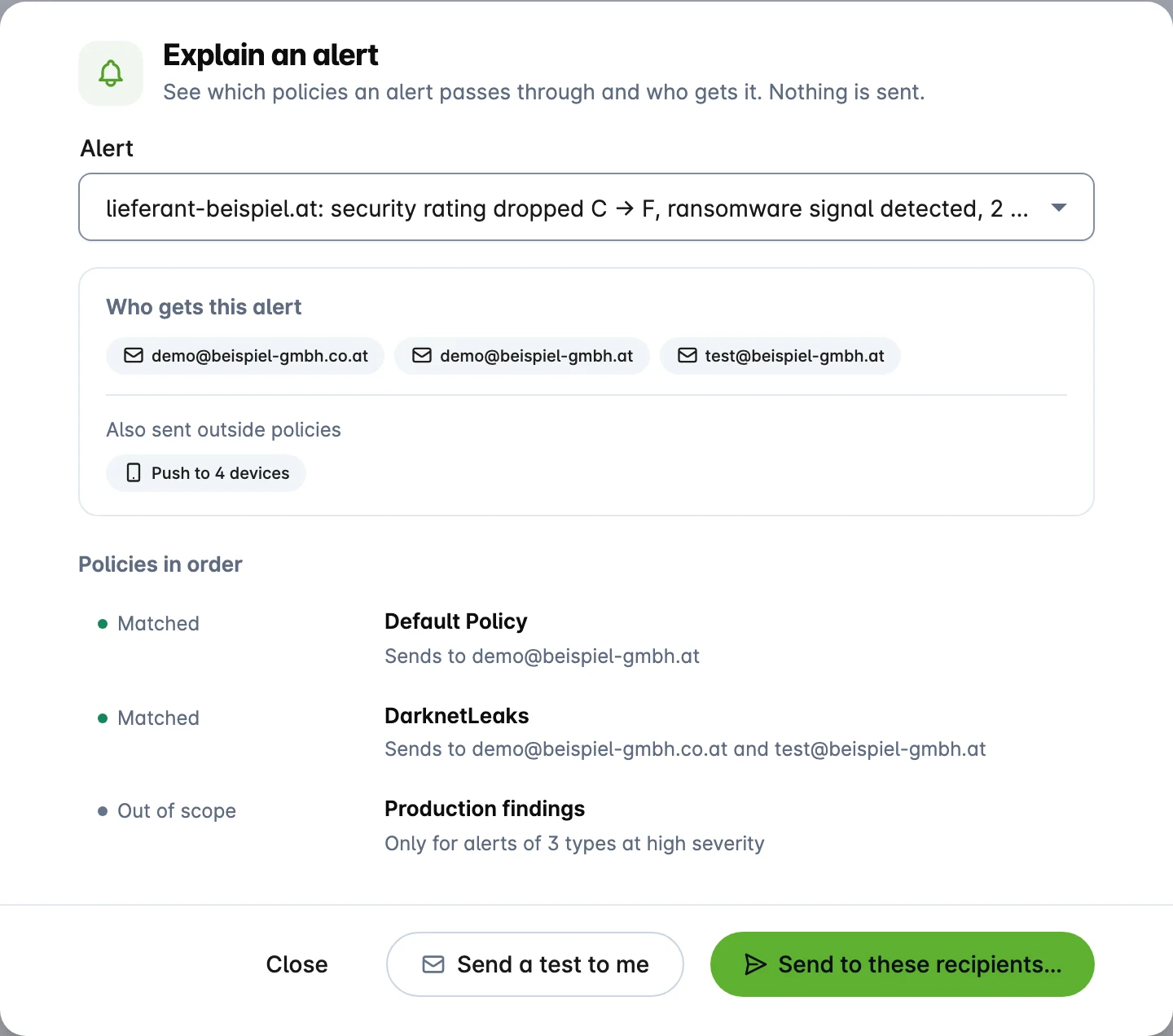
Before saving, the editor shows how many recent alerts would have matched. Explain an alert runs an existing alert through every policy and shows who receives it, without sending anything. From any alert, Mute alerts like this drafts the matching mute policy. Policies keep a version history, and nine recipes cover common cases.
The policy assistant turns "Send critical findings to Slack" into a draft for you to review. Like every blacklens.io AI feature, it runs on blacklens.io's own hardware and only when AI is enabled for the workspace. It receives your request and the policy vocabulary, never your alerts.
Conclusion
Attack paths, attack surface and alerts belong together. A service account with an old password is a finding; the same account with a path to Tier-0 is a way in. blacklens.io shows both in one view and tells you when a path changes.
Get started: you will find the attack paths under Attack Surface → Internal in each identity's detail view, the external view under Attack Surface → External → Overview, and the policies under Insights → Alerts → Notification settings.
Frequently asked questions
- Tier-0 covers every account, group and system that controls an Active Directory domain or an Entra ID tenant, such as Domain Admins, Enterprise Admins, domain controllers or Global Administrators. Whoever takes over a Tier-0 object controls every other account and system in the domain, which makes Tier-0 the most important asset to protect. It includes not only direct members of these groups but every account that reaches them through nested groups or delegated rights.
More articles
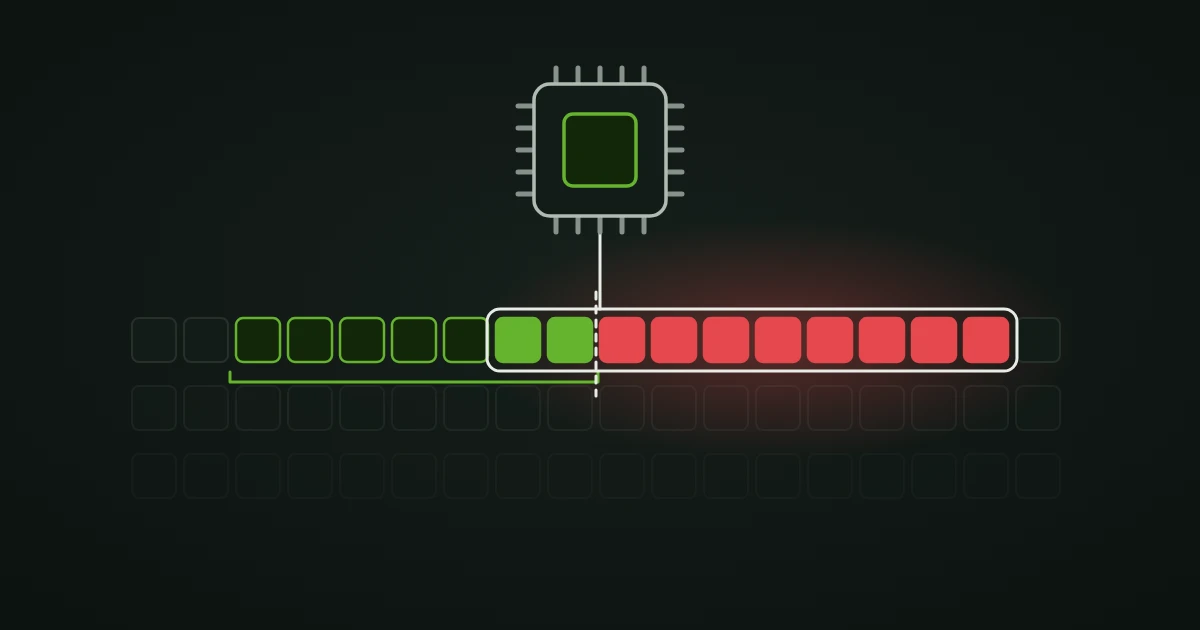
Java4Shell: the CPU decides whether Java is vulnerable
Java4Shell (CVE-2026-114938) hits OpenJDK 17.0.6 and later only on x86 servers with AVX-512 VBMI. Which JDKs have a fix, and what helps until then.
- 6 min read
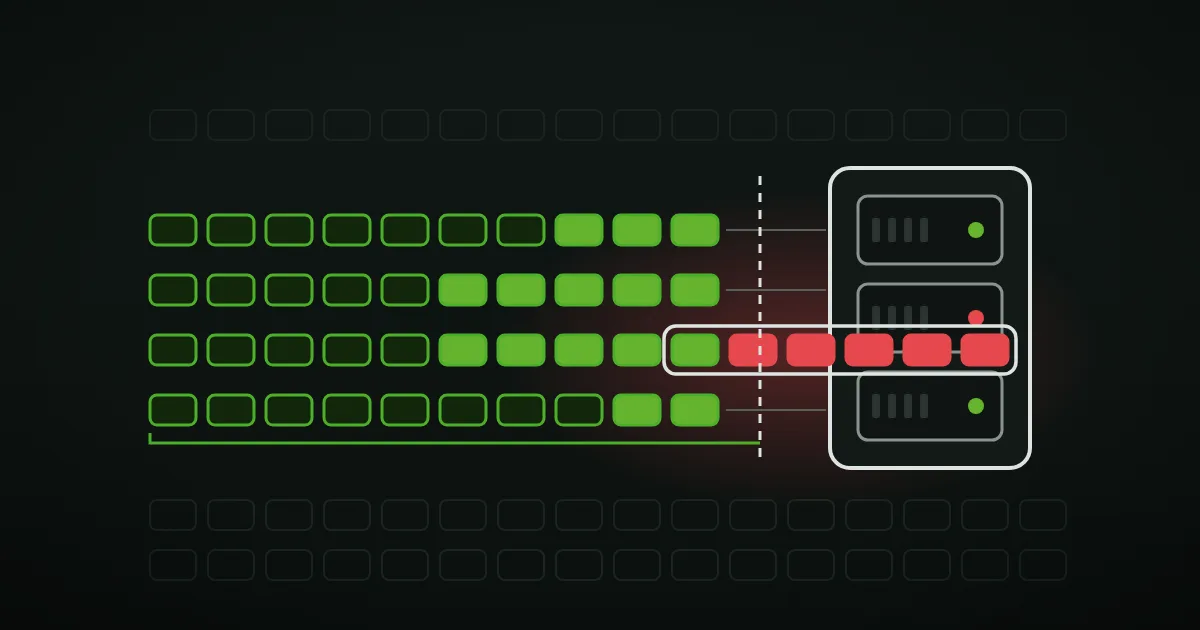
nginx and HTTP/2: two flaws allow code execution without login
CVE-2026-123007 and CVE-2026-123633 in the nginx HTTP/2 module allow unauthenticated code execution. Who is affected and what helps until you can patch.
- 7 min read
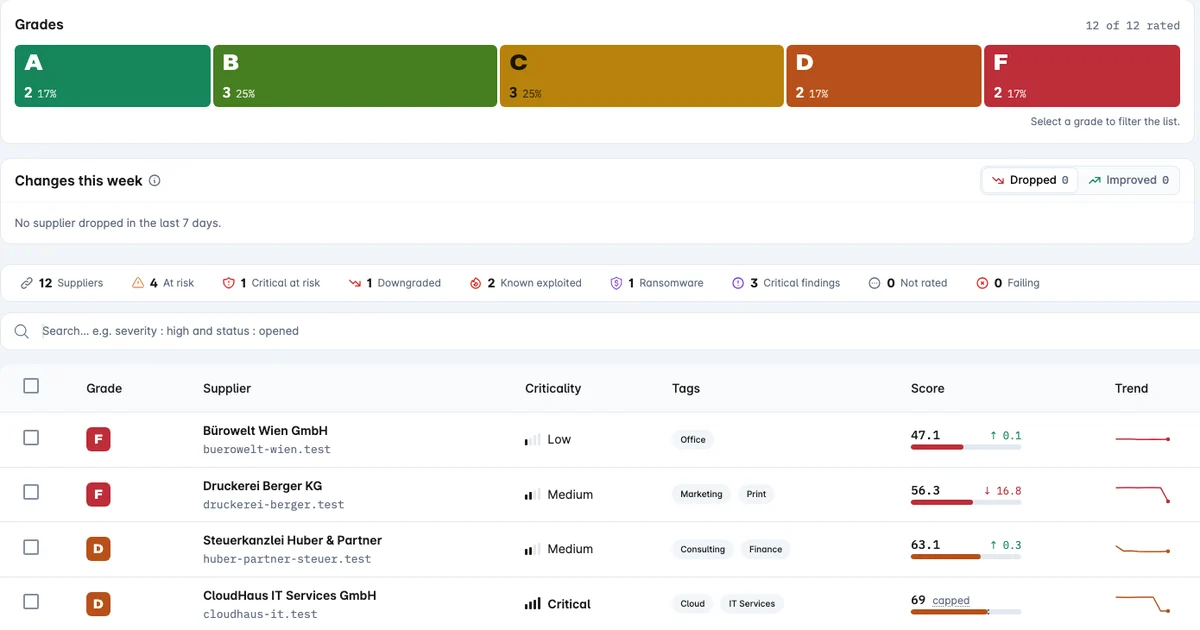
NIS2 supply chain: what happens between two questionnaires
Supply chain security under NIS2: what Austria's NISG 2026 and Germany's BSIG require, where questionnaires end and how to monitor suppliers continuously.
- 6 min read
See your attack surface within 24 hours.
We set up your workspace and walk you through the first findings.
- 14 days free, all features
- No credit card required
- We walk you through your first findings