
Why internal vulnerability scanning must cover your entire IT
Internal vulnerability scanning has to cover switches, printers and IoT devices as well as servers, because these devices are often the overlooked entry points.
- by blacklens.io Team
- Published
- Updated
- 3 min read

Modern IT infrastructure has long consisted of more than servers and clients. Network devices such as switches and firewalls, printers and IoT devices are an integral part of every corporate environment. Yet these components are often neglected in vulnerability assessments, and that mistake can have serious consequences.
What blacklens.io Sentry checks in the internal network
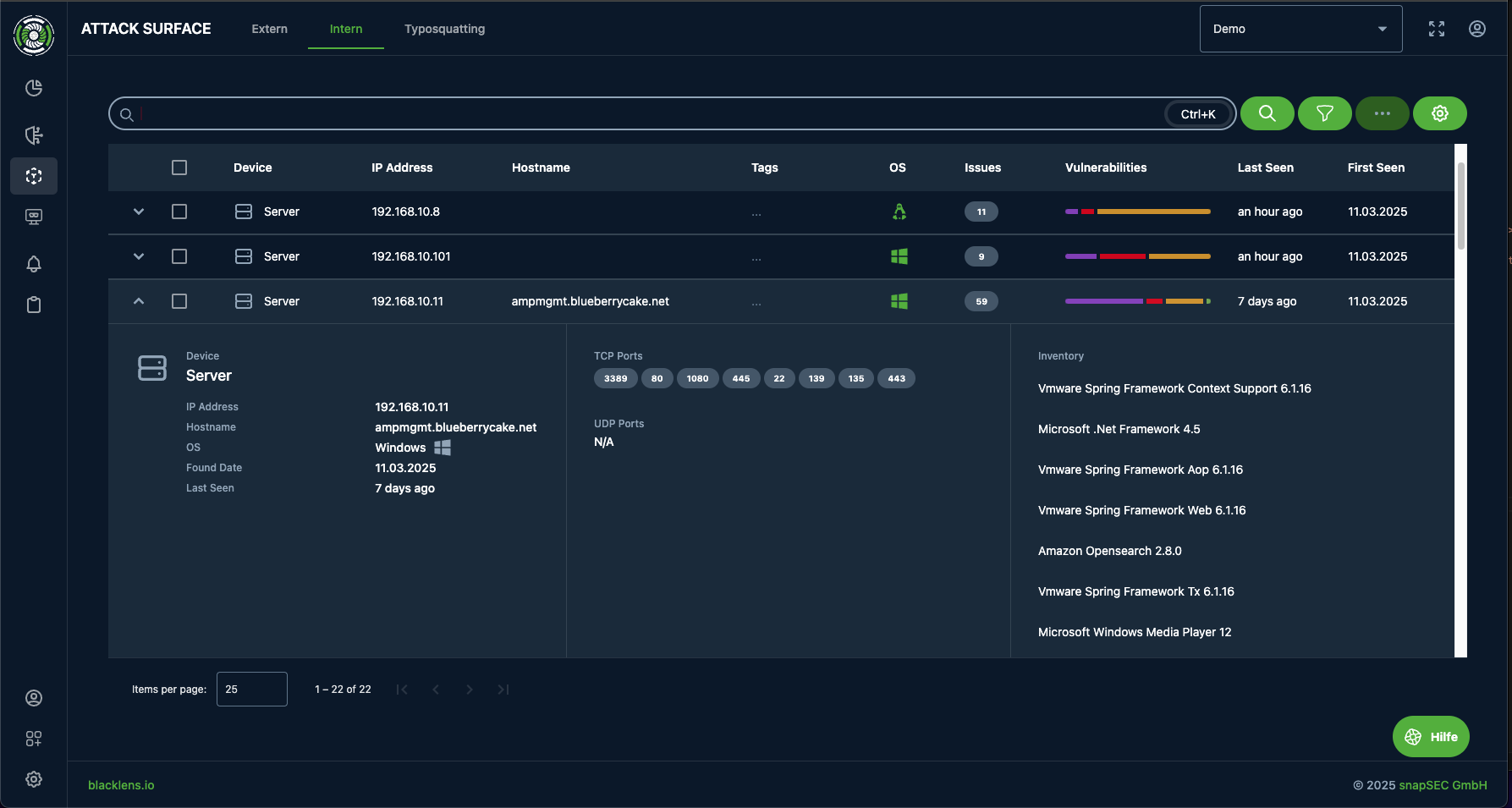
blacklens.io Sentry extends vulnerability management to your entire internal infrastructure. Traditional tools are often limited to servers and clients. Sentry also scans network peripherals and IoT devices:
- Servers and clients: authenticated scans give deep insight into installed software and operating systems.
- Network devices (switches, routers, wireless LAN controllers): Sentry assigns them to their own device class and checks them for known vulnerabilities.
- Printers and office peripherals: modern multifunction devices are computers in their own right and can be an entry point.
- IoT and OT devices: Sentry recognises IP cameras, IP phones and industrial controllers as separate device classes and checks them for security gaps as well.
Network devices: an often underestimated source of risk
Switches and network infrastructure
Network switches are the backbone of an IT environment, but if they are not secured they can quickly become an entry point for attackers. Common problems are weak configurations and outdated firmware. An unclear or faulty VLAN configuration can enable VLAN hopping, for example, giving attackers access to network segments they should not reach. Spoofed MAC addresses can also cause trouble by bypassing port security and allowing network traffic to be intercepted.
In the worst case, a compromised switch lets an attacker manipulate or intercept all traffic. Put simply, an unprotected switch is like an unguarded main gate to a fortress. Forgotten default credentials and unpatched firmware are common causes of unauthorised access, up to the complete compromise of the network.
Printers and office peripherals
Modern printers and multifunction devices are complex computer systems with their own operating system, processor, memory and, in most cases, network access. They process sensitive documents and sometimes even manage credentials, for example for scan-to-email or fax functions. Yet they are often maintained less strictly than servers.
A classic problem is default admin passwords that were never changed. In some cases, they can be used to extract stored credentials that lead to even more critical resources. Seemingly harmless fax functions have also proved to be entry points. A well-known attack from 2018, the so-called "Faxploit", showed that simply sending a manipulated fax to a multifunction device can lead to remote code execution and thus to a foothold in the internal network.
Cameras and IoT devices
The massive spread of IoT and smart devices in organisations has greatly expanded the attack surface. IP surveillance cameras, smart thermostats, access control systems and even smart TVs are often an entry point, because they frequently ship with default passwords.
A notorious example is the 2016 Mirai botnet, which took over thousands of DVRs and IP cameras with default passwords and used them to knock major websites offline with DDoS attacks. In another case, attackers compromised a casino through an internet-connected thermometer in an aquarium and stole sensitive data.
Visibility and control across the network
With blacklens.io Sentry you also cover the devices that external scans cannot reach:
- Customisable scan settings, from a single client to the highly sensitive network backbone.
- Authenticated scans for more detailed results on unpatched systems.
- Early identification and prioritisation of security gaps, to stop attacks before they happen.
Implementation in three steps
Getting Sentry running takes three steps:
- Install the Sentry Agent in your network.
- Connect it to your blacklens.io workspace.
- Start the first scan.
Sentry runs as an appliance in your own network, either as a virtual machine for VMware, Hyper-V or Proxmox or as a Docker container.
No blind spots in the internal network
Internal vulnerability management with blacklens.io Sentry makes vulnerabilities visible in network devices and IoT components too. If you look at your entire IT estate, from servers and printers to IP cameras, you reduce your risk for the long term.
Frequently asked questions
- An internal vulnerability scan should cover servers and clients, but also network devices such as switches, routers and wireless LAN controllers, printers and multifunction devices, and IoT devices such as IP cameras, smart thermostats and access control systems. These devices run their own operating systems and firmware, yet they are often maintained less strictly than servers. Outdated firmware, misconfigurations and default passwords make them frequently overlooked entry points into the internal network.
More articles

HTTP2Shell: the Brotli flaw reaches far beyond Node.js
HTTP2Shell is not a new flaw but CVE-2026-111497 in any software with a Brotli decoder. Who is affected, and why the version number misleads.
- 5 min read

Node2Shell: why patching Node alone is not enough
Node2Shell exploits a flaw in the Brotli decoder that Node.js bundles. The fix ships in Node 22.23.4, 24.22.1 and 26.12.1 – and in Brotli itself.
- 5 min read

Fortinet hardening release: patching without an advisory
Fortinet shipped critical fixes for FortiOS, FortiManager and FortiAnalyzer on 22 October 2026. The advisories with CVE ids only follow on 10 November.
- 5 min read
See your attack surface within 24 hours.
We set up your workspace and walk you through the first findings.
- 14 days free, all features
- No credit card required
- We walk you through your first findings